Tenable Nessus Cloud
This guide walks you through creating a Tenable Nessus Cloud connector.
Prerequisites
- You need a user with at least Basic Permission, no specific privileges are required. If you want to create new user with minimum permissions, please follow step 1 else you can directly go to step 2.
Step 1. Log in to Tenable as an Administrator
- Log in to Tenable Console at cloud.tenable.com. Once logged in, click the Settings gear in the top right corner and go to Access Control.
- Here, you can either use the logged-in user account or
- Create a service user account (with an email not tied to an employee), which we recommend for production environments.
- Assign the new account the minimal role of Basic User.
- Log out of the current user, and then log in using the newly created account.
Step 2. Create API Keys for Service Integration
-
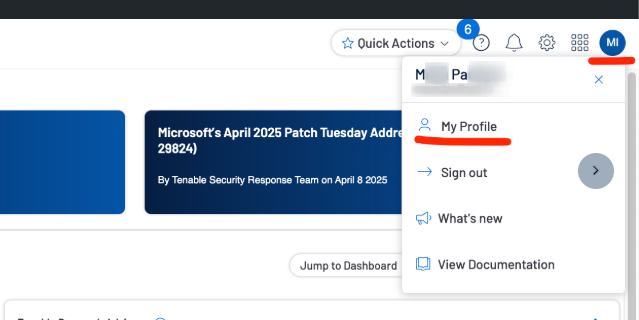
In the upper-right corner, click on the profile avatar for the logged-in user and navigate to the user's My Profile.
-
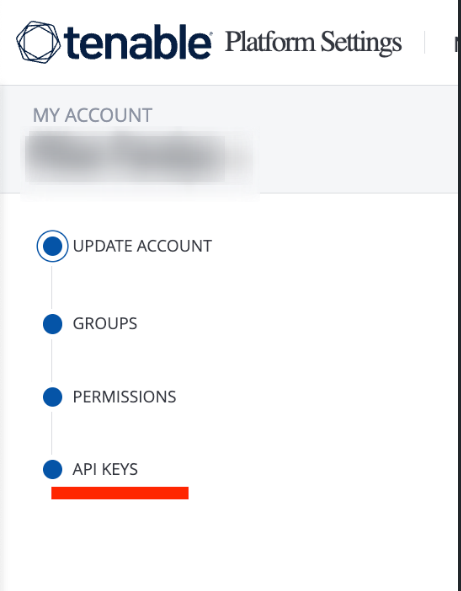
In the left-side navigation, select API KEYS
-
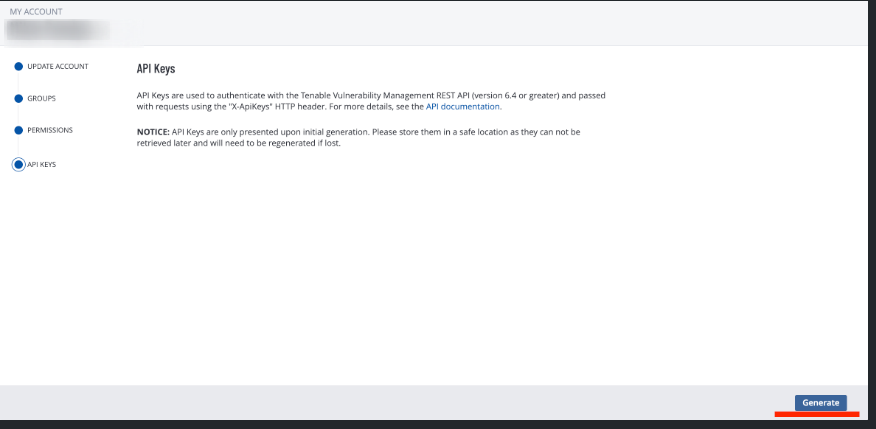
In the bottom-right, click the Generate button. A warning in the top-right will appear, stating that this operation will overwrite any previously generated keys. Click Continue. You will be provided with two keys: access key and secret key.
- NOTE: Copy both and store them in a secure place as they won’t be shown again.
-
Configure the Integration
Create the connector in ASCERA by supplying all configuration values. Go to Connectors under ConMon: Maintain, click Create, then select Tenable Nessus Cloud.