Cloudflare Zero Trust Connector Configuration Guide for ASCERA
The Cloudflare Zero Trust connector allows ASCERA to retrieve user data from your Cloudflare Zero Trust environment via the Cloudflare API. Setup involves generating a scoped API token and entering your account's base endpoint URL in ASCERA.
Prerequisites
- Cloudflare Administrator role or permission to create and manage API tokens in your Cloudflare account
The following values are required when configuring the connector in ASCERA:
- Base Endpoint URL
- API Token
Cloudflare Setup
Before you begin: As you work through the steps below, record the Account ID and API Token values in a secure location. You will need both to complete the connector configuration in ASCERA.
Find Your Account ID
Log in to the Cloudflare Dashboard. If you manage multiple accounts, select the account that contains your Zero Trust configuration from the account selector in the upper left corner.
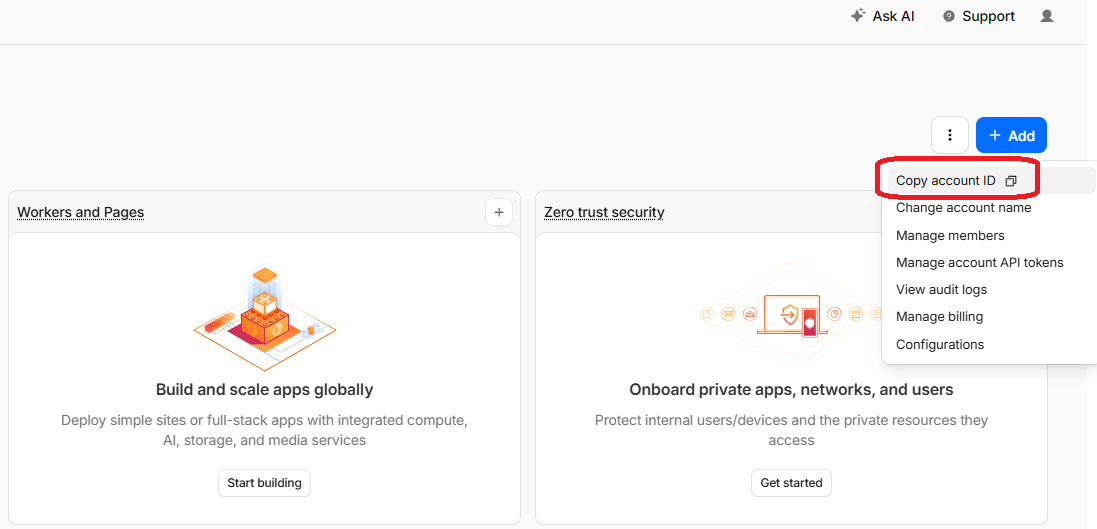
Click on the three vertical dots in the upper right corner of the dashboard and select Copy account ID from the dropdown menu. Copy the Account ID down for use in ASCERA connector configuration later.
Create an API Token
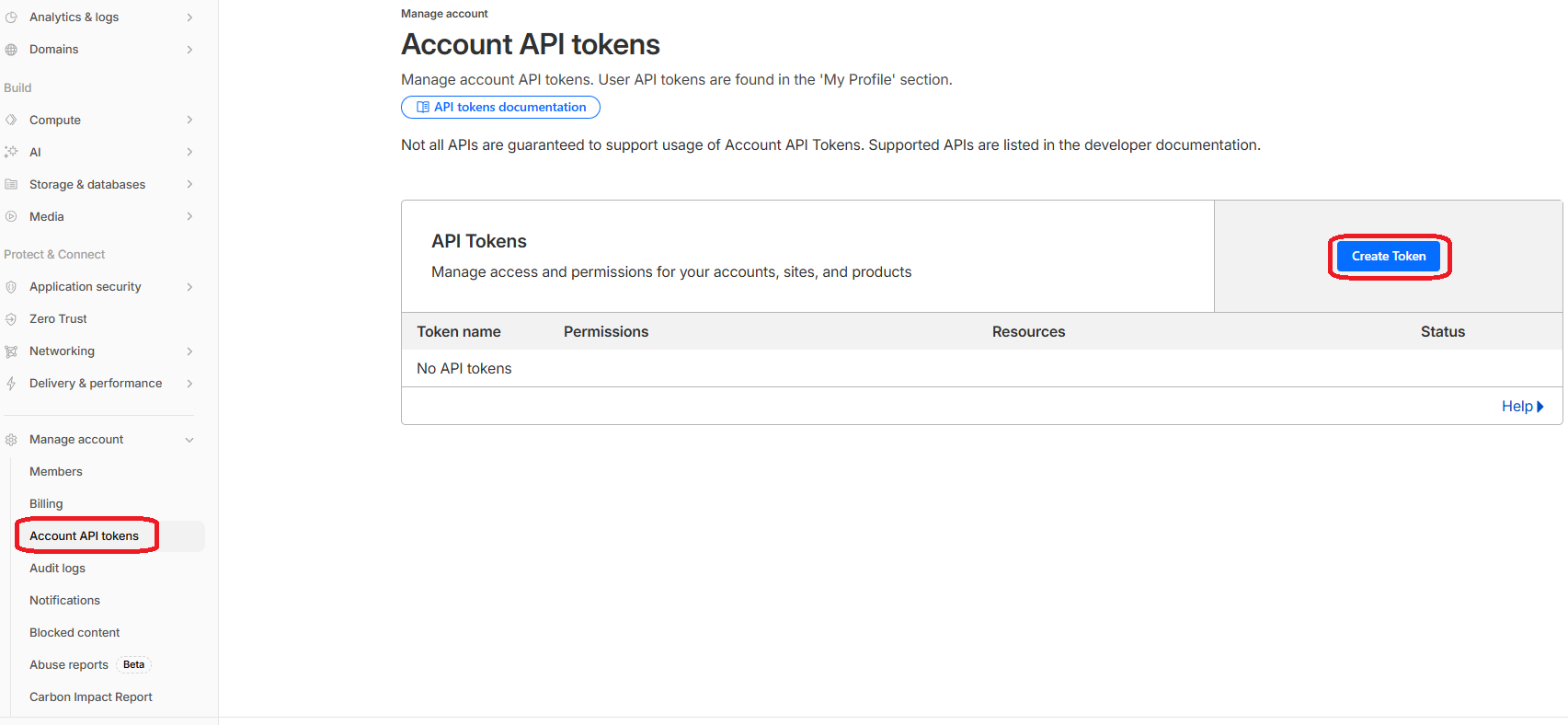
In the same account dashboard, navigate to Manage Account > Account API Tokens in the left-hand navigation pane and click Create Token.
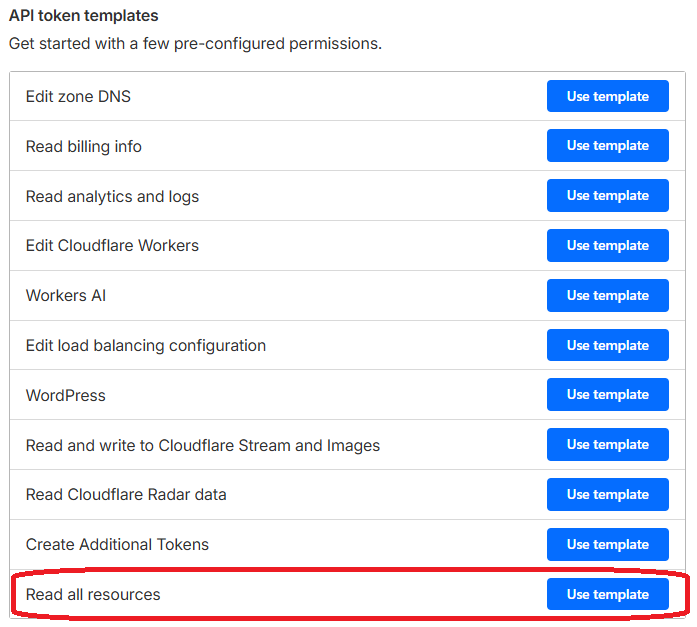
Scroll down to the Read all resources row and click Use Template.
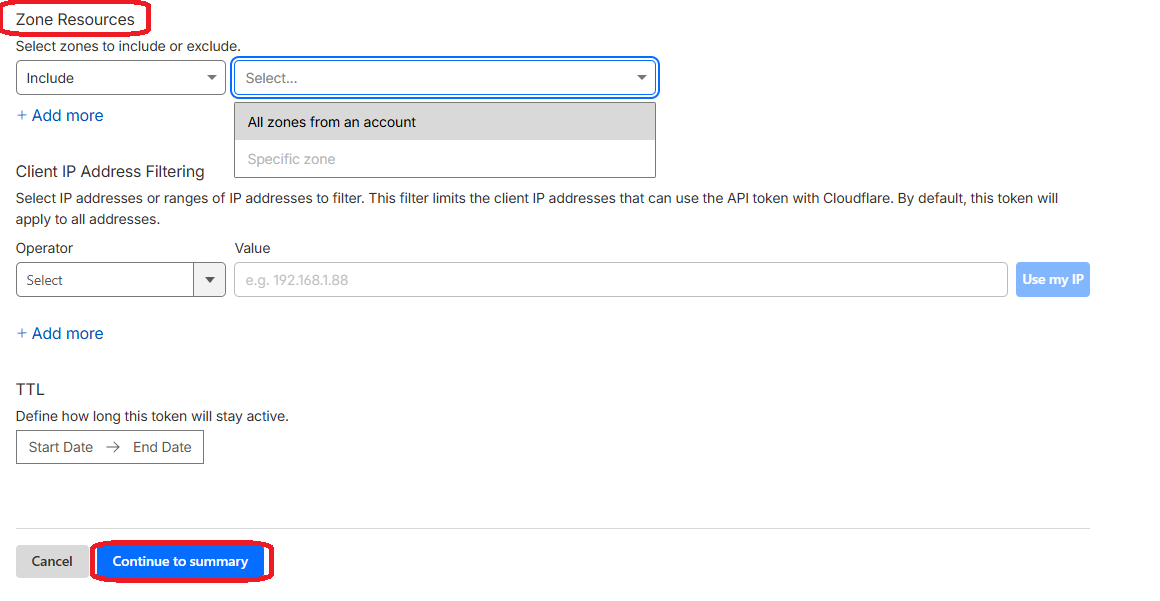
Scroll down to the Zone Resources section and confirm that the zones associated with your Zero Trust deployment are included. Click Continue to summary at the bottom, and then click Create Token on the next summary screen.
Copy the token value from the confirmation screen.
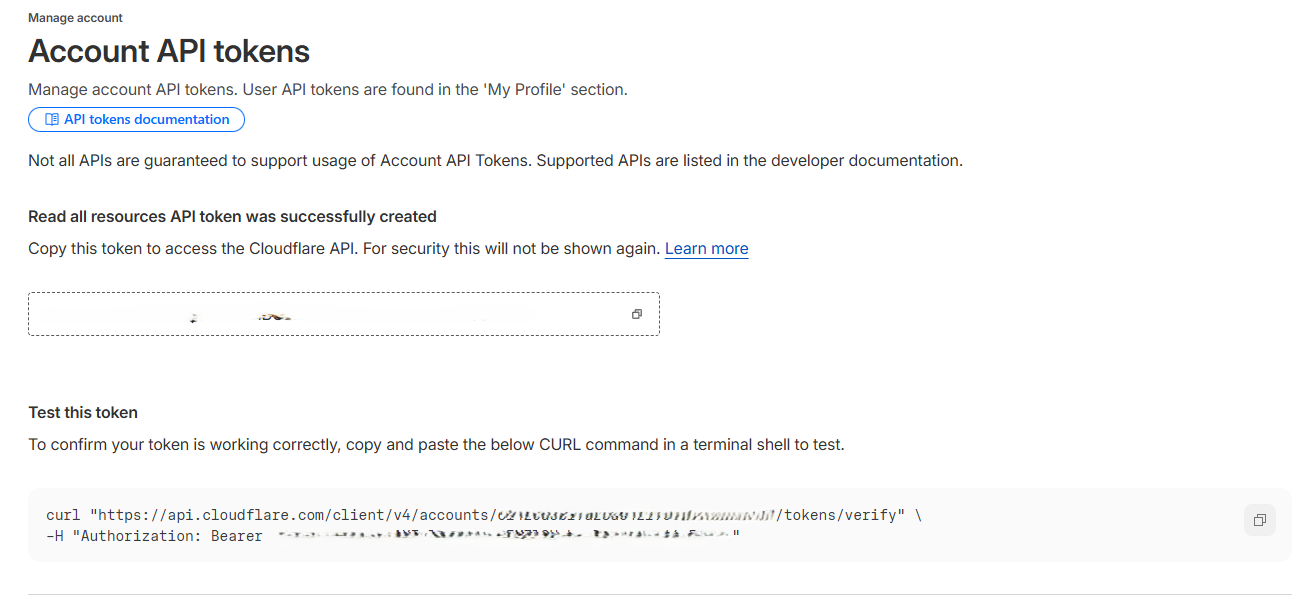
The token value is only shown once. Store it securely before leaving this page.
Configure the Connector in ASCERA
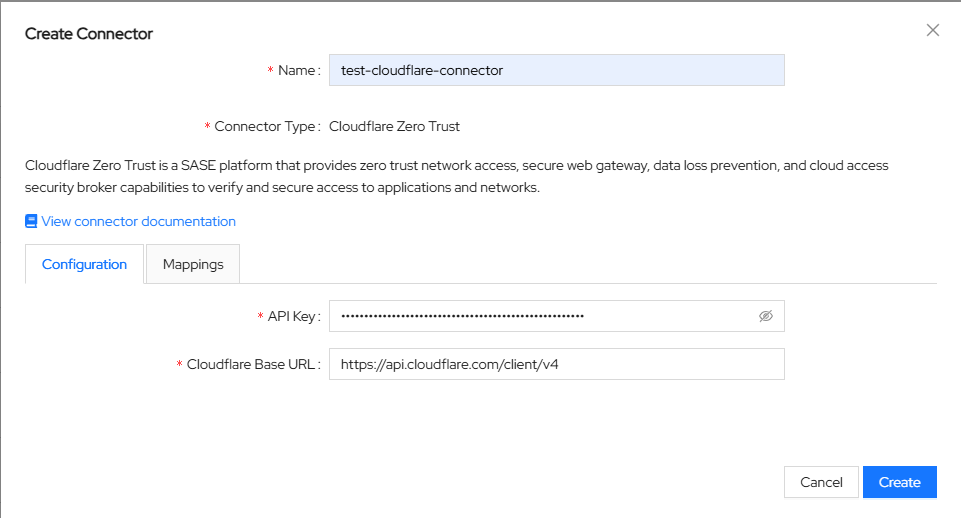
Unfold ConMon: Maintain and choose Connectors, then click Create in the upper right corner. Select Cloudflare Zero Trust from the list of connector types.
Enter the values collected above into the connector configuration:
- Name:
Cloudflare Zero Trust ASCERA Connector(or any name you prefer) - Base Endpoint URL:
https://api.cloudflare.com/client/v4 - API Token:
<Your API Token>
Click the Create button to proceed.
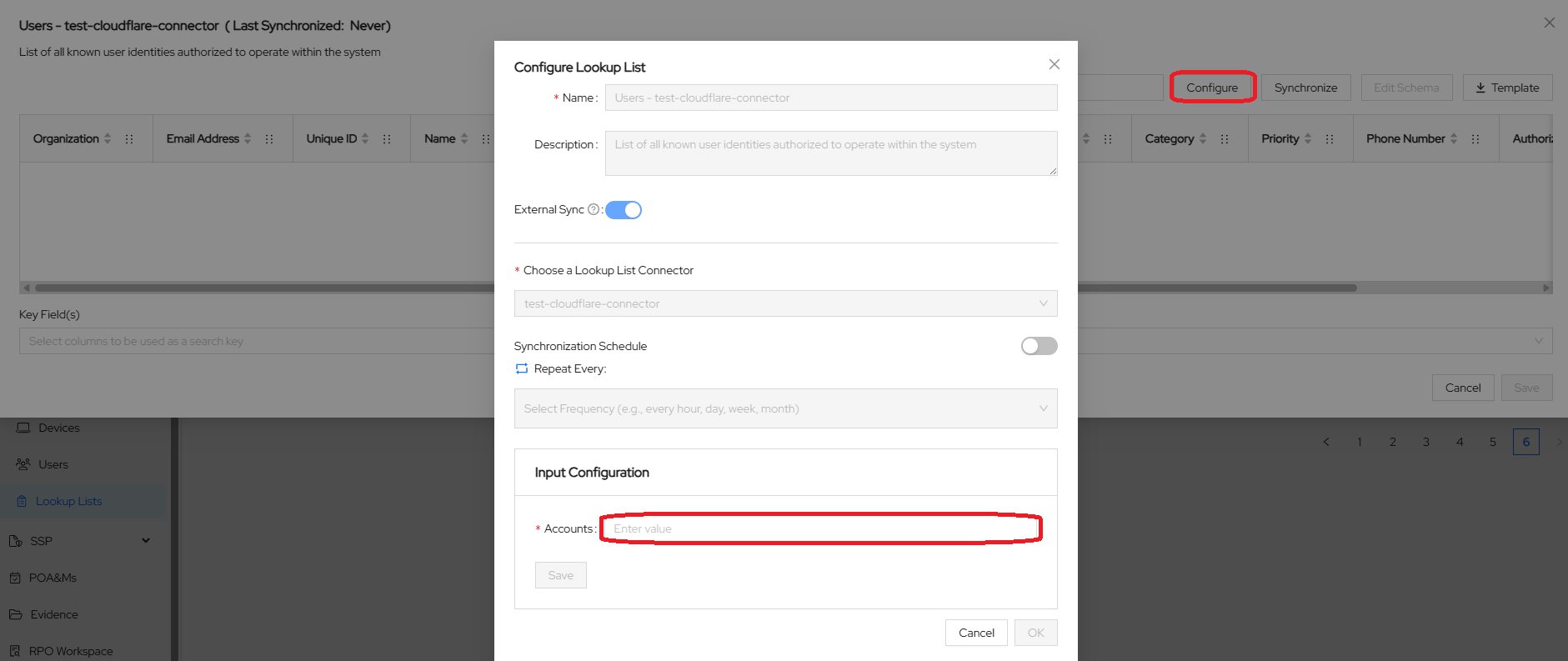
After saving, ASCERA automatically creates a Lookup List named Users - <connector name>. To finish the configuration, unfold Lists on the left and choose Lookup Lists. Open your Lookup List, click Configure, and enter your Account ID in the Accounts field in the Input Configuration section. Click Save and then Cancel to exit the configuration screen.
Test the Connection
Before configuring ASCERA, you can verify your API token is valid by running the following command in a terminal, replacing <ACCOUNT_ID> with your Cloudflare Account ID and <API_TOKEN> with your token:
curl "https://api.cloudflare.com/client/v4/accounts/<ACCOUNT_ID>/tokens/verify" \
  -H "Authorization: Bearer <API_TOKEN>"
A successful response returns "status": "active".
To test the synchronization in ASCERA, while still in your Lookup List, click Synchronize, and confirm that the sync starts and completes successfully.
Troubleshooting
- 401 Unauthorized: Verify the API token was copied correctly and has not expired or been revoked
- No data returned: Confirm the token's Zone Resources include the zones used by your Zero Trust deployment
- Invalid endpoint URL: Ensure the Base Endpoint URL contains your correct Account ID and matches the format exactly
- Insufficient permissions: The Read all resources template is required; narrower token permissions may cause incomplete data retrieval