Cisco Duo
This guide walks you through creating a Cisco Duo connector.
Prerequisites
- It is assumed that you already have a Cisco Duo Account Created.
Step 1. Log in to Cisco Duo Admin Account
-
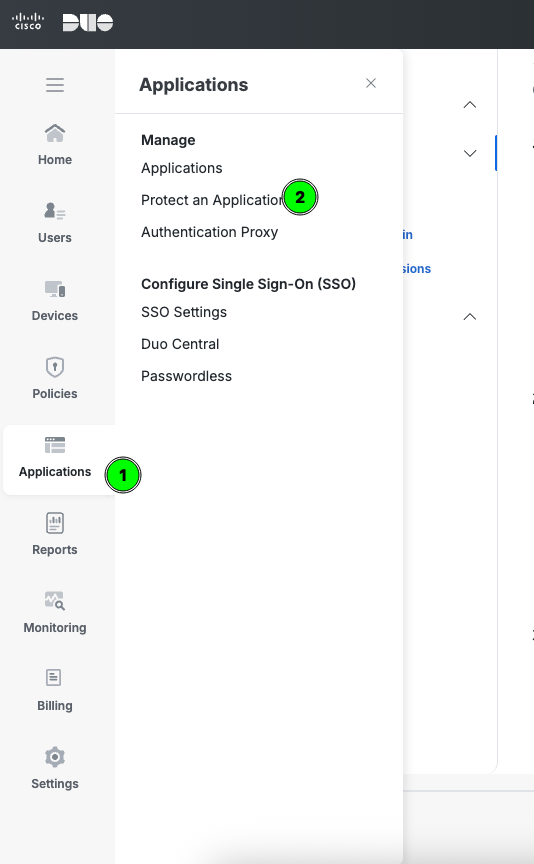
Log in to the Duo Admin Panel and navigate to Applications → Protect an Application.
-
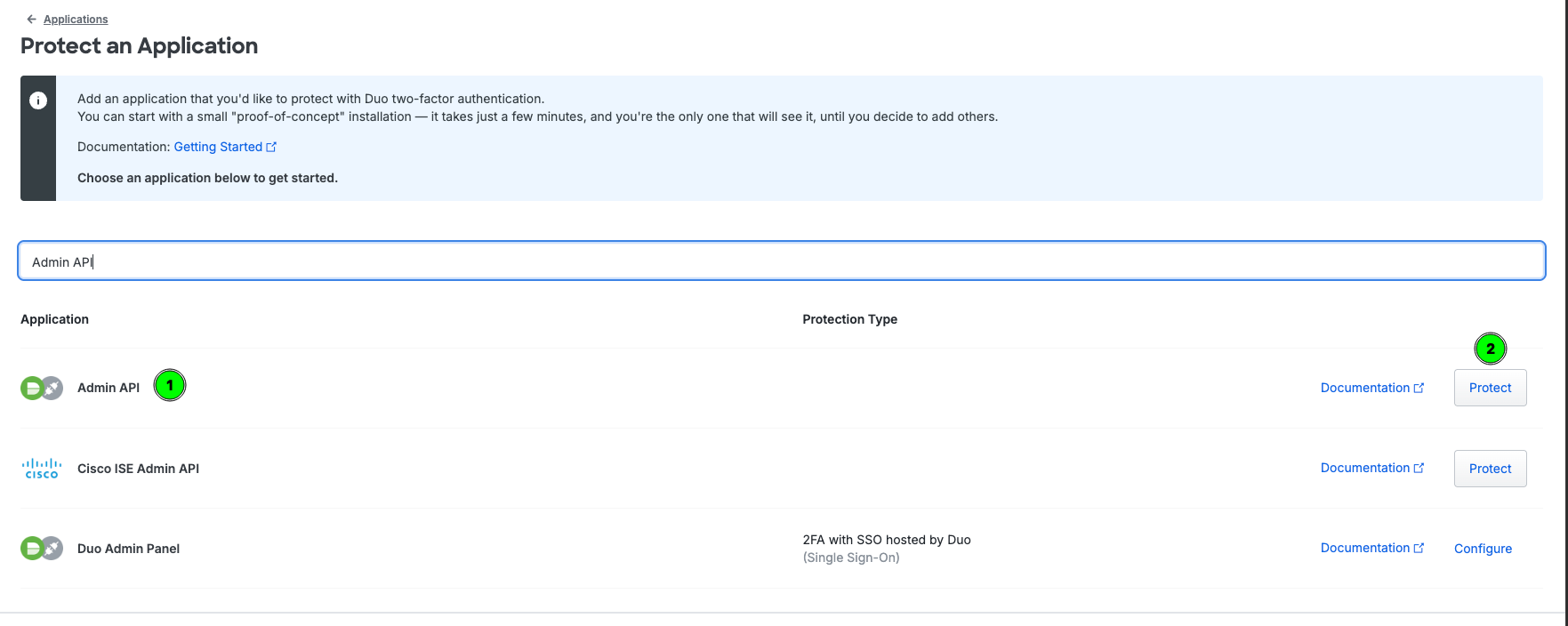
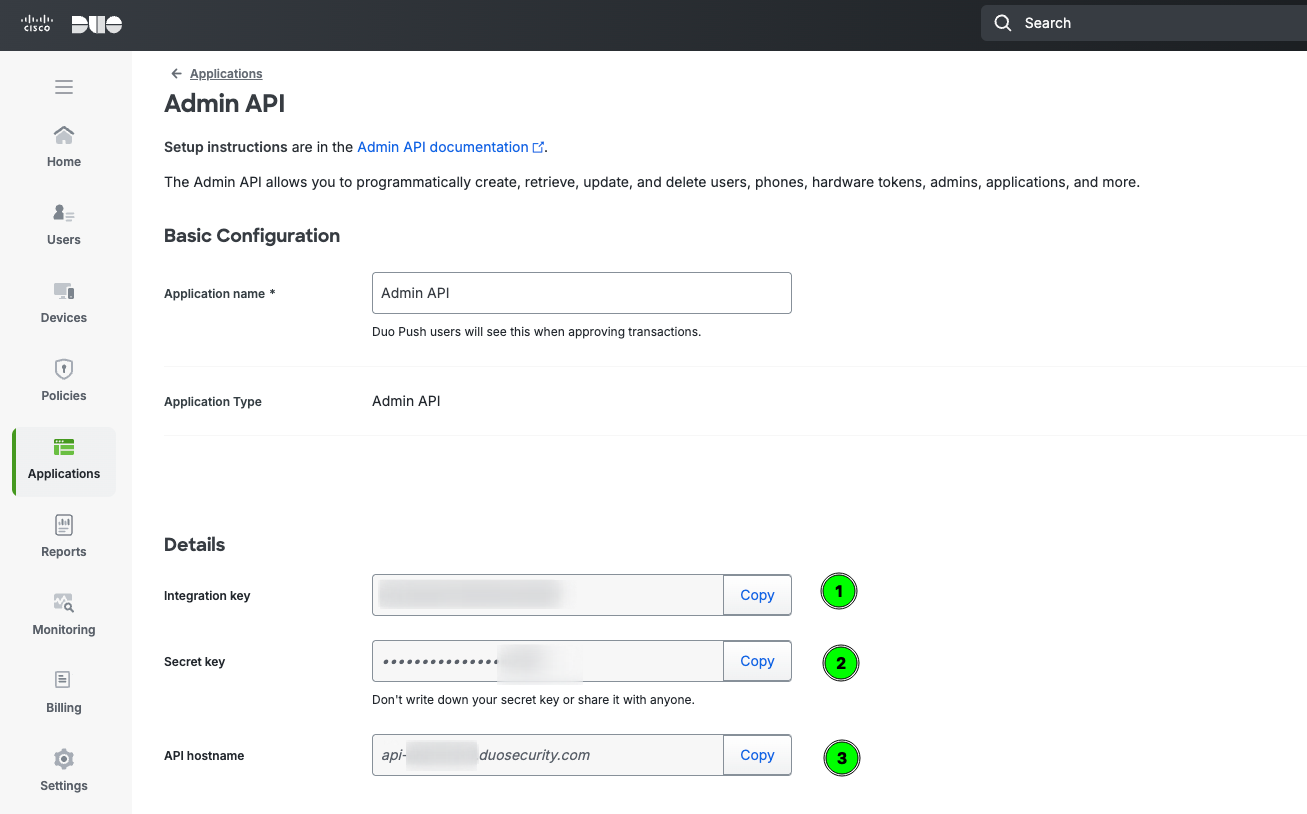
Locate the entry for Admin API in the applications list. Click Protect to the far-right to configure the application and get your integration key, secret key, and API hostname. Save these keys in a secure way, these 3 params are used to create the connector in ASCERA.
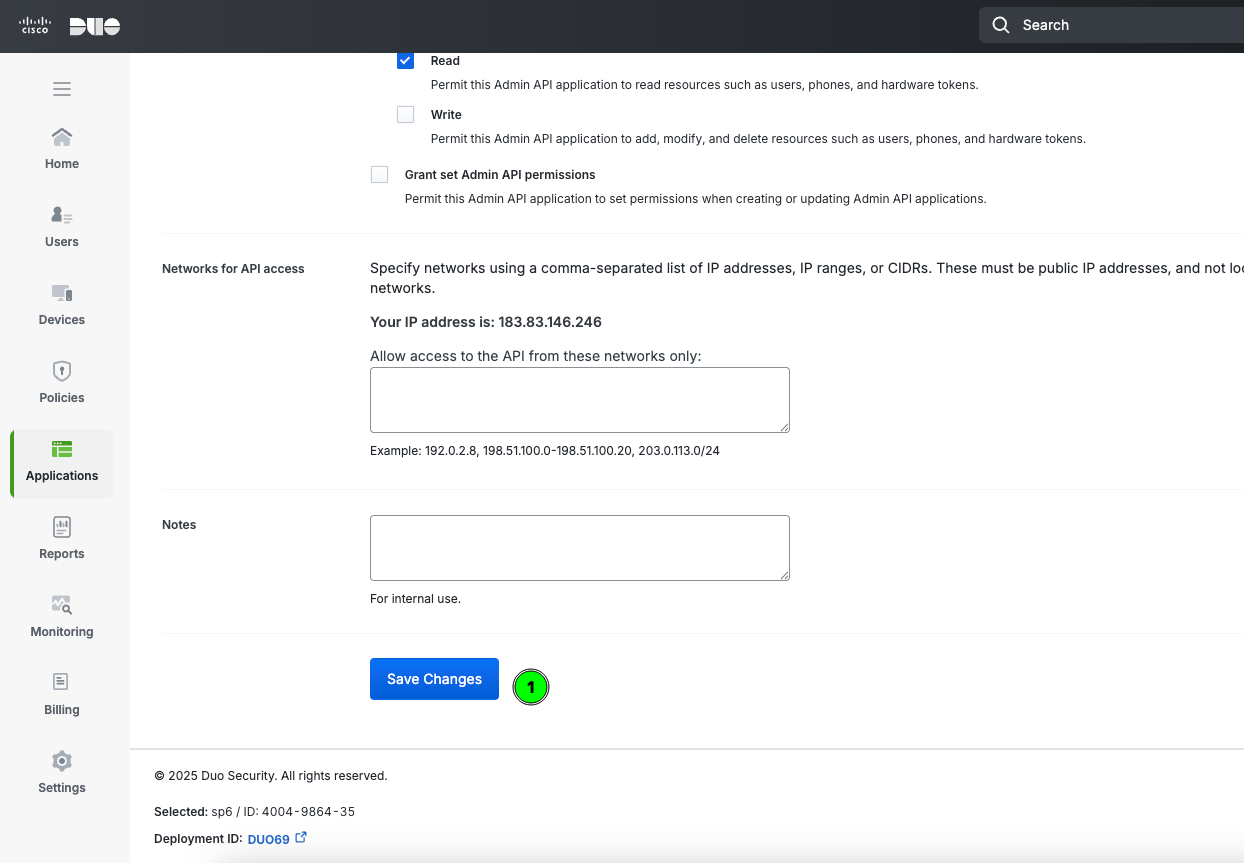
Provide the Grant resource - Read API permission to application
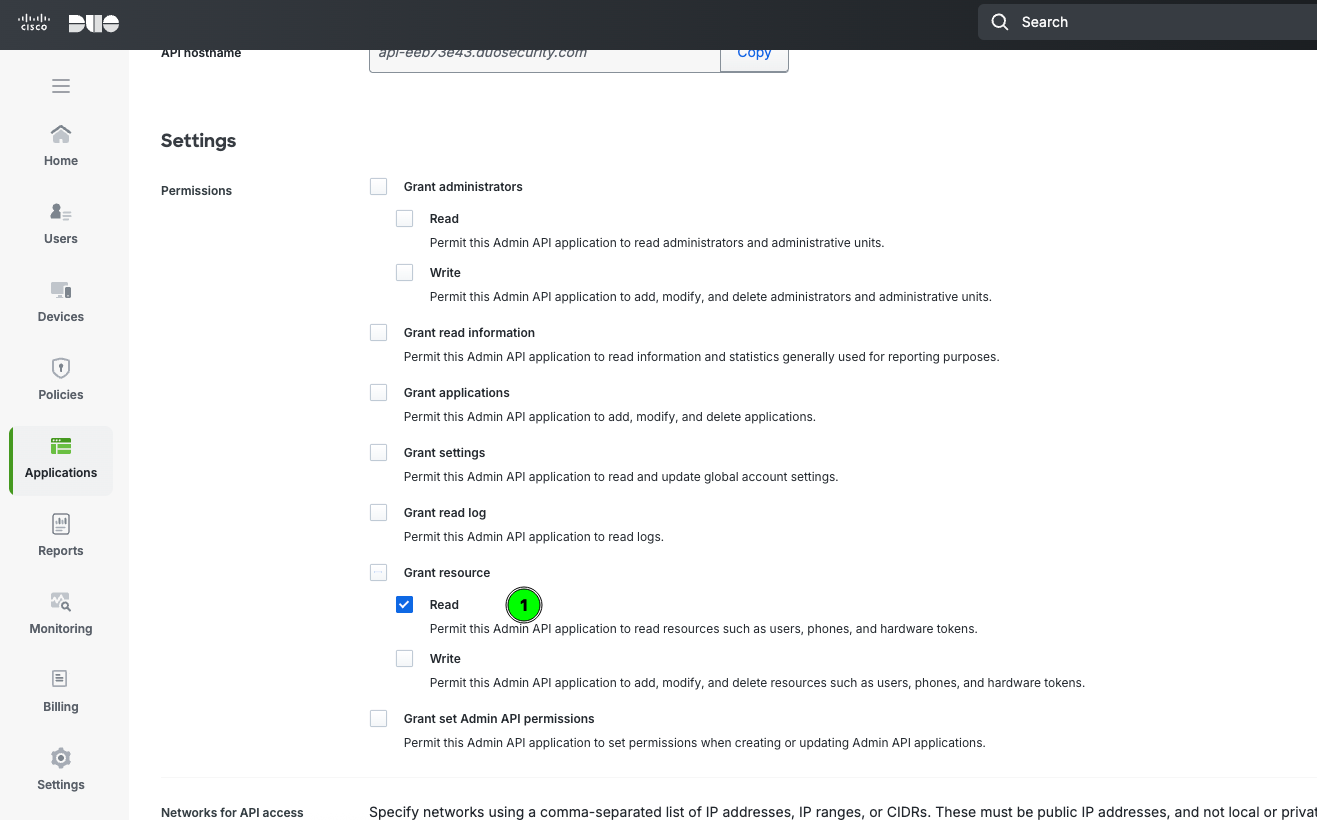
Save the changes
Step 2. Create the Connector in ASCERA
-
In ASCERA, go to Connectors under ConMon: Maintain in the left navigation, then click Create.
-
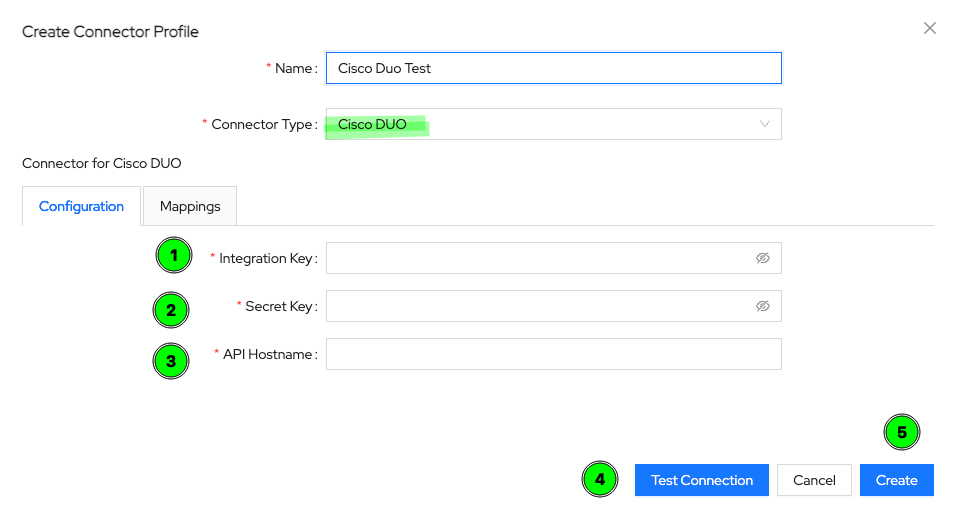
Select Cisco Duo from the list of available connectors, and give it a name of your choice. Provide the respective inputs from Duo that you saved in step 1.
-
Click Test Connection to validate the inputs you have provided.
-
Click Create to create the new connector.